A small mod with a clear finish line
This exercise adds one item, Copper Token, with an original 16×16 texture and
a recipe that turns one copper ingot into one token. You should be able to obtain it with /give, craft it, find it in the creative Ingredients tab, and reload a test world
with it still present.
 COPPER TOKEN / ORIGINAL TEXTURE
 Follow the same example.
The source ZIP includes the Java class, texture, item model, language entry, crafting recipe, prompts, and a verification checklist.
Download practice sourceThis is a source example reviewed against the official versioned MDK. File paths, JSON, namespace consistency, texture, and the download archive are checked. We have not compiled or played this mod on this website's development machine. Follow the build and game checks below; the ZIP is an overlay for an official workspace, not a ready-to-install JAR.
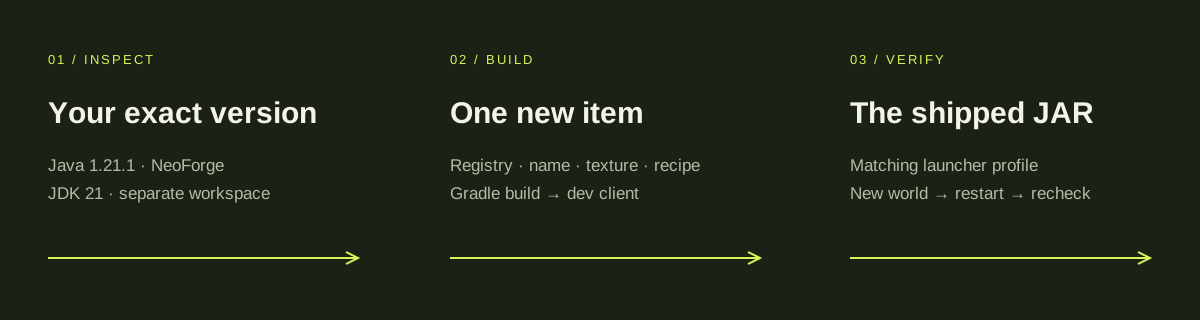
01 / Match the game, loader, and Java version
The exercise targets Minecraft Java 1.21.1, NeoForge 21.1.252, and a 64-bit JDK 21. It follows the version combination in the upstream NeoForge field note and the pinned official MDK. This is a reproducible example version, not a claim that 1.21.1 is the latest Minecraft release.
You need an owned Java Edition installation, Git, a coding agent with Universal Modder installed, and disk space for Gradle's game and tool dependencies. Install the toolkit through the Claude Code guide, Codex guide, or your agent's setup page. A new launcher instance keeps this exercise separate from your normal worlds.
For a first pass, use the included texture. fal is useful for later art but is not required to build this item. Minecraft development adds the JDK and loader workspace to the toolkit's own prerequisites.
java -version
javac -version
um --help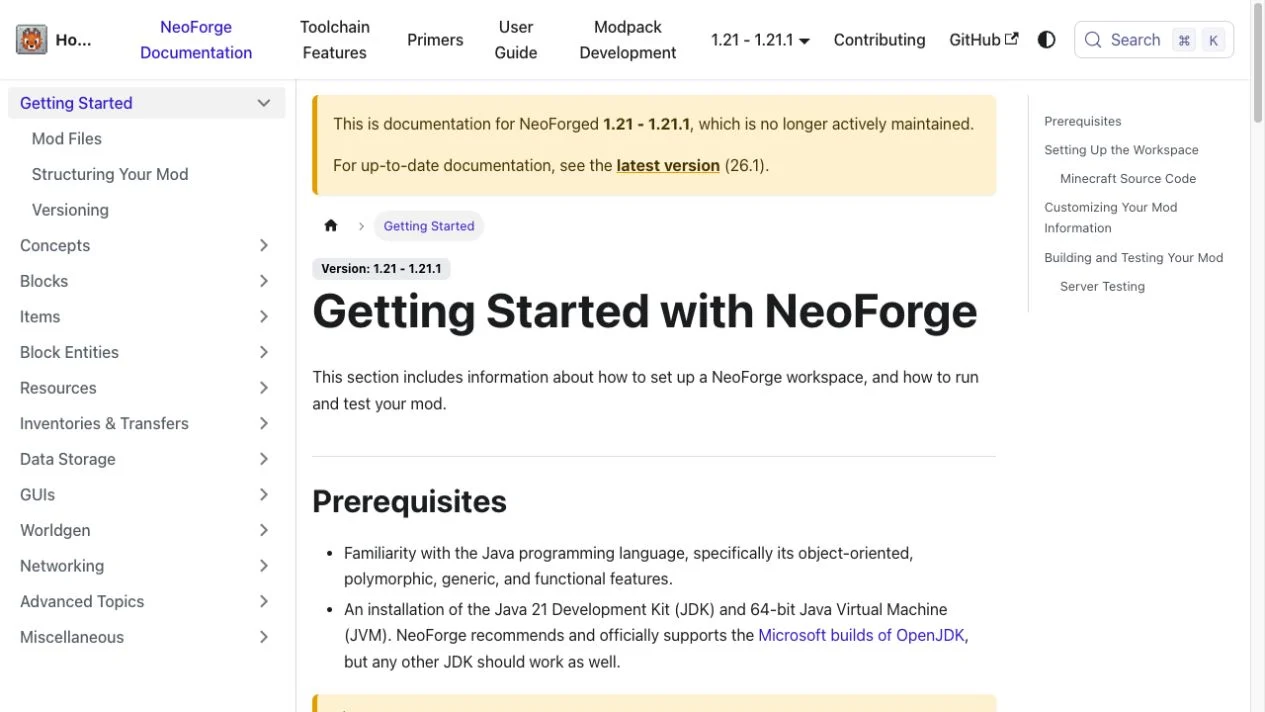
If your modpack uses Forge or Fabric, choose its route instead of installing NeoForge into it. See the edition, loader, and Java comparison before changing a working instance.
02 / Give your agent the real installation details
Start with the edition and the launcher instance you actually use. A Windows scan may identify the Minecraft launcher as an unknown native program; the upstream field note documents this. Ask your agent to inspect the instance and its version files rather than relying on the launcher's executable alone.
um kb search "minecraft"Use Universal Modder to inspect my Minecraft installation. Report the edition, exact game and loader versions, instance directory, JDK, and save folders. Read the NeoForge 1.21.1 field note. Explain whether the Copper Token example matches my install. Create a separate test workspace and do not change my existing worlds.
Before implementation, the plan should name fieldguide:copper_token, the intended
recipe, the creative tab, the build command, and the removal procedure. Save your important
worlds through your launcher or file manager before testing a new mod.
03 / Start from the official MDK
Clone the official 1.21.1 ModDevGradle template into a new folder. Checking out the reviewed commit prevents the tutorial from silently switching to a different template later.
git clone https://github.com/NeoForgeMDKs/MDK-1.21.1-ModDevGradle fieldguide
cd fieldguide
git checkout 7819b902a351b03fe71db00754d103b5a31c4ebf
Keep the MDK's Gradle wrapper, build files, mappings, and src/main/templates/META-INF/neoforge.mods.toml. Merge the following values into gradle.properties; retain settings that are not shown.
minecraft_version=1.21.1
neo_version=21.1.252
mod_id=fieldguide
mod_name=Field Guide Copper Token
mod_license=MIT
mod_version=0.1.0
mod_group_id=dev.universalmodder.fieldguide
Apply the practice ZIP's src/main/java and src/main/resources
directories to this workspace. Remove the template's original com/example/examplemod Java package and assets/examplemod resources
so you have one entry point with matching metadata. The practice file gradle-properties-to-merge.txt is a reference, not a replacement build file.
In this separate official MDK workspace, apply the Copper Token source overlay. Keep the Gradle wrapper, build configuration and neoforge.mods.toml template. Merge the provided Gradle properties, remove the original examplemod sources, and make the Java package, mod_id, assets and data namespaces all agree on fieldguide. List every changed file before building.The first Gradle run downloads dependencies and prepares the Minecraft sources. It can take much longer than later builds. Run one build at a time, and let the first setup finish before treating a quiet terminal as a failed build.
04 / Understand the four parts of the item
Registration gives the game an item ID. The model and texture make it visible. The language file gives it a readable name. The recipe makes it obtainable through crafting.
| File inside src/main | Purpose |
|---|---|
java/dev/universalmodder/fieldguide/FieldGuideMod.java | Registers the item and creative-tab entry |
resources/assets/fieldguide/lang/en_us.json | Names the item Copper Token |
resources/assets/fieldguide/models/item/copper_token.json | Points to the item texture |
resources/assets/fieldguide/textures/item/copper_token.png | The original 16×16 texture |
resources/data/fieldguide/recipe/copper_token.json | One copper ingot → one token |
View the complete item registration class
package dev.universalmodder.fieldguide;

import net.minecraft.world.item.CreativeModeTabs;
import net.minecraft.world.item.Item;
import net.neoforged.bus.api.IEventBus;
import net.neoforged.fml.common.Mod;
import net.neoforged.neoforge.event.BuildCreativeModeTabContentsEvent;
import net.neoforged.neoforge.registries.DeferredItem;
import net.neoforged.neoforge.registries.DeferredRegister;

@Mod(FieldGuideMod.MOD_ID)
public final class FieldGuideMod {
    public static final String MOD_ID = "fieldguide";
    private static final DeferredRegister.Items ITEMS =
        DeferredRegister.createItems(MOD_ID);
    public static final DeferredItem<Item> COPPER_TOKEN =
        ITEMS.registerSimpleItem("copper_token", new Item.Properties());

    public FieldGuideMod(IEventBus modEventBus) {
        ITEMS.register(modEventBus);
        modEventBus.addListener(this::addCreative);
    }

    private void addCreative(BuildCreativeModeTabContentsEvent event) {
        if (event.getTabKey() == CreativeModeTabs.INGREDIENTS) {
            event.accept(COPPER_TOKEN);
        }
    }
}{
"type": "minecraft:crafting_shapeless",
"category": "misc",
"ingredients": [
{
"item": "minecraft:copper_ingot"
}
],
"result": {
"id": "fieldguide:copper_token",
"count": 1
}
}
For this 1.21.1 target, the data directory is singular recipe/ and the result
uses id. Older tutorials with recipes/ and result.item
can produce a mod whose item exists but whose recipe never loads. Check the versioned data
format before copying JSON from another game version.
For a separate browser-based model workflow,
MC Mod Maker
lets you inspect Minecraft-style geometry and available animation previews, then download
editable Blockbench assets. Its .bbmodel is an asset project, while its Java mod
export targets Fabric 1.21.1 rather than this guide's NeoForge workspace. Keep model editing
and game installation as separate checks. We also maintain MC Mod Maker; generation requires
an adult verified account and credits.
05 / Build, then test in the development client
Run the wrapper from the folder containing build.gradle. Check the Gradle JVM as
well as your shell's Java: they can point to different installations.
.\gradlew.bat --version
.\gradlew.bat build
.\gradlew.bat runClient./gradlew --version
./gradlew build
./gradlew runClient
If a downloaded wrapper is not executable on macOS/Linux, use chmod +x gradlew
once. The build should end in BUILD SUCCESSFUL and create a main JAR under build/libs/. A successful compile does not yet prove the item renders or the
recipe works.
In the development client, create a new creative test world with commands enabled and run:
/give @s fieldguide:copper_token
/recipe give @s fieldguide:copper_token-
Confirm that
/givereturns an item called Copper Token. - Check its texture and the Ingredients creative tab.
- Place one copper ingot in a crafting grid and confirm one token appears.
- Save and quit, restart the test world, and confirm the item remains.
When a check fails, use run/logs/latest.log and the first relevant exception.
Keep source review, compilation, development-client testing, and installed-JAR testing as
separate entries in your notes.
06 / Test the JAR you would actually share
Create a separate launcher profile for Java 1.21.1 with NeoForge 21.1.252.
Start it once, close the game, and use that instance's actual game directory. Copy the main fieldguide-0.1.0.jar from build/libs/ into its mods/
folder. A sources or javadoc JAR is not the playable mod.
Do not assume the folder is your default .minecraft; launchers and modpacks
commonly use separate instance directories. Keep only one version of your practice mod in the
test instance. Launch it and repeat the give, recipe, texture, creative-tab, and restart
checks.
To remove the practice mod, close the game and remove its JAR from that test instance. Restore a pre-mod backup before opening a world that contains its items. This exercise covers local testing; multiplayer compatibility needs its own checks.
When one step fails
- Gradle refuses Java: compare the JVM shown by
gradlew --versionto the JDK 21 target. - Unknown item ID: check that the mod loaded, that metadata uses
fieldguide, and that the class registers its item register on the mod event bus. - Recipe missing: inspect
data/fieldguide/recipe/and the 1.21.1 resultid. - Purple/black texture: check the model's
fieldguide:item/copper_tokenreference and the PNG's exact path and letter case. - Dev client works, installed game fails: confirm the shipped main JAR, loader/game versions, and instance folder.
Sources & version notes
Instructions were checked against the versioned documentation and repository snapshots below on October 7, 2026. Match them to the edition and loader you actually use.